Digital Design Lab
Lab Report
001A periodical from your friendly digital product designers
Digital Design Lab
Lab Report
001A periodical from your friendly digital product designers
👋
Welcome to the inaugural Lab Report! The Digital Product Design team (also Digital Design Lab, aka, Brent and Rosie) welcomes you to a small slice of our world. Take a moment to catch up on some of the work we've completed in the last quarter-ish, check out notable designs from our competitors, or pick up some pointers on using Figma.
PDP Redesign(ed)
Over a year of thorough process and cross functional collaboration with the Brand team have resulted in a collection of changes and additions to the PDP backed by qualitative and quantitative testing.
Below are some highlights. Rosie created a set of content guidelines for other teams to use as guidance that also serve as a more thorough overview of changes if you want more details.
A refined buy box
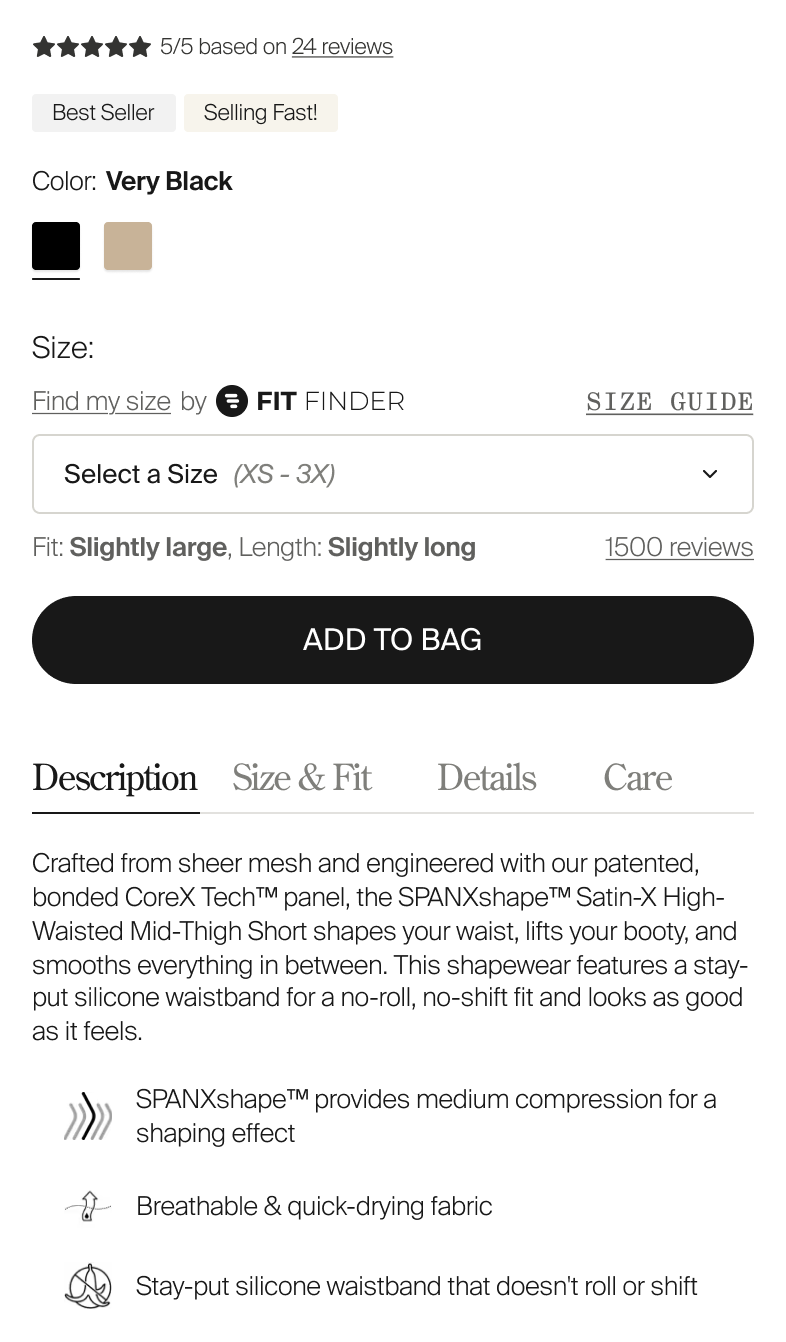
Review stars higher up on the page provide key social proof higher on the page than has ever been offered. Relocated badges bring bite sized information closer to selectors that may influence which badges are seen. New color variant selectors brings their shape closer to other similarly shaped elements. A size dropdown replaces discrete size selector buttons, tidying up the buy box and reducing overall page height. Product information adopts a tabbed UX in place of the accordions that used to house this information.
A home for product education
A major addition to the PDP is a dedicated section to provide the kind of information we often need to communicate to customers but struggle to find a place for. It includes details about SPANXeffect and compression, specific innovations and technology, and a new comparison table display section that allows for easy, direct comparison across similar products.

And many fine details
The PDP ReDesign brings around 20 distinct changes to the page, including the media gallery, product name and price position, breadcrumbs and many more. Major shoutout to Rosie for shepherding a massive project along!
Account updates
There were a handful of Account additions through the quarter that allowed the team to spend time in an area that we don't often get to.
Where's my package?
A refreshed, custom order tracking page to replace what was previously provided by Narvar.
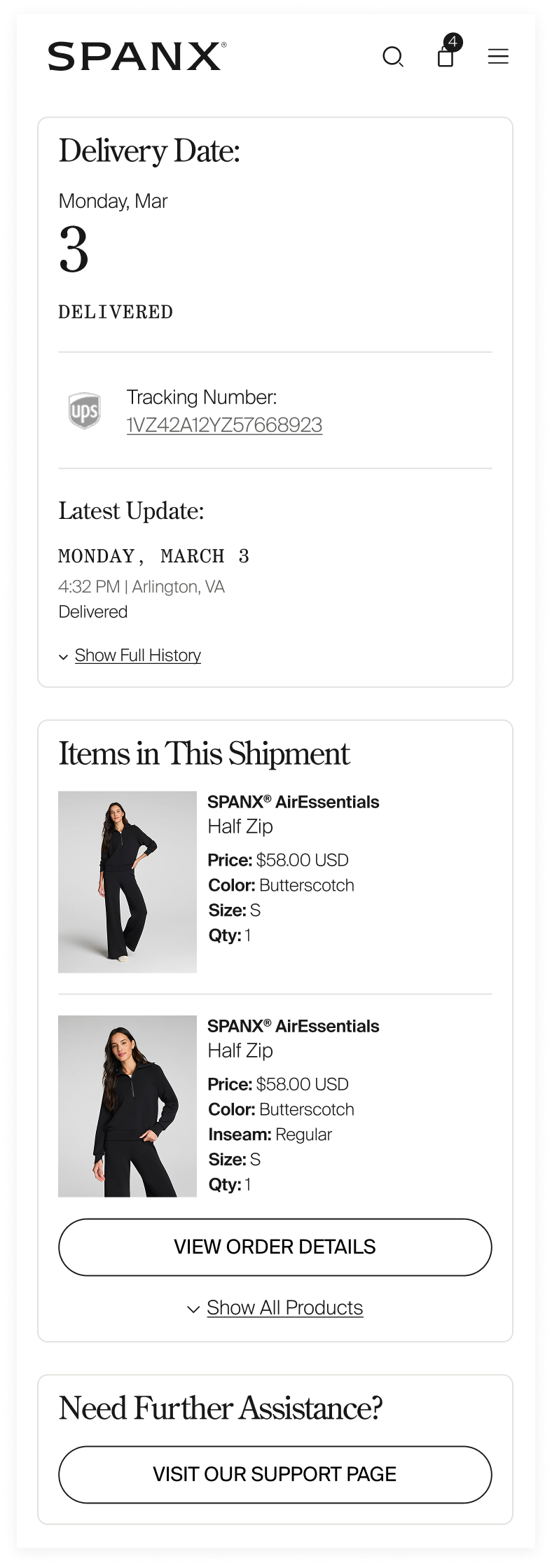
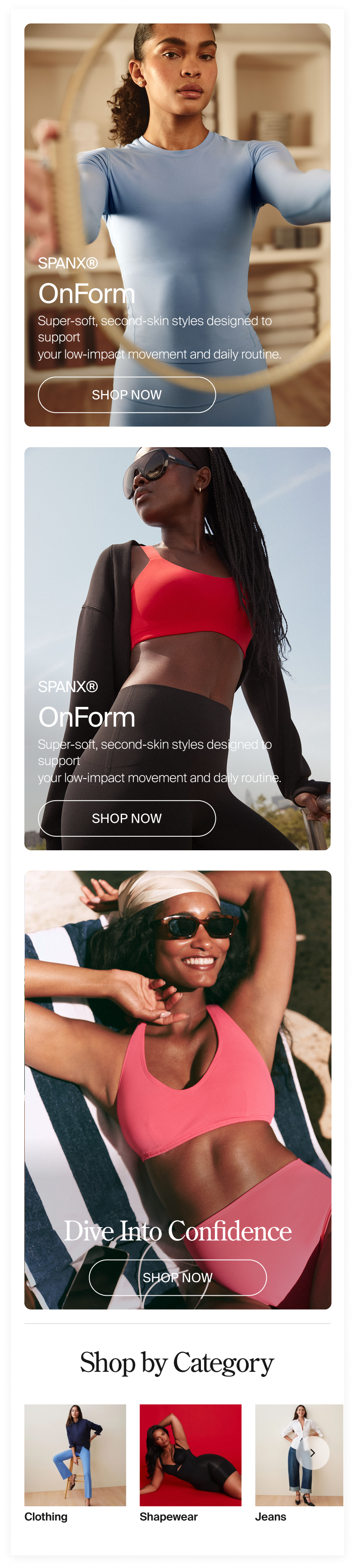
The top of the page offers users essential package tracking information regardless of whether all items ship together or not. The bottom of the page gives users other ways and places to find more product on site.
↓
Loyalty reward codes
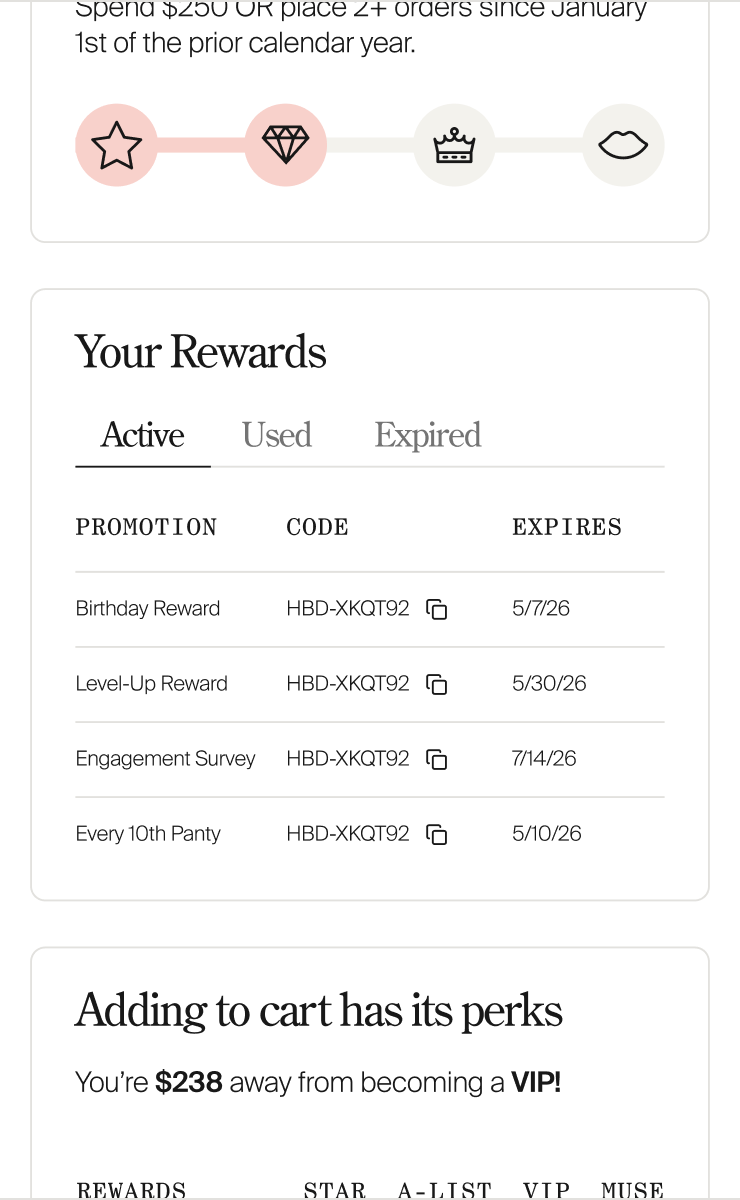
A centralized area for users to find their loyalty discount codes didn't exist. They'll be able to find them easily, organized by usage status, in their Account.
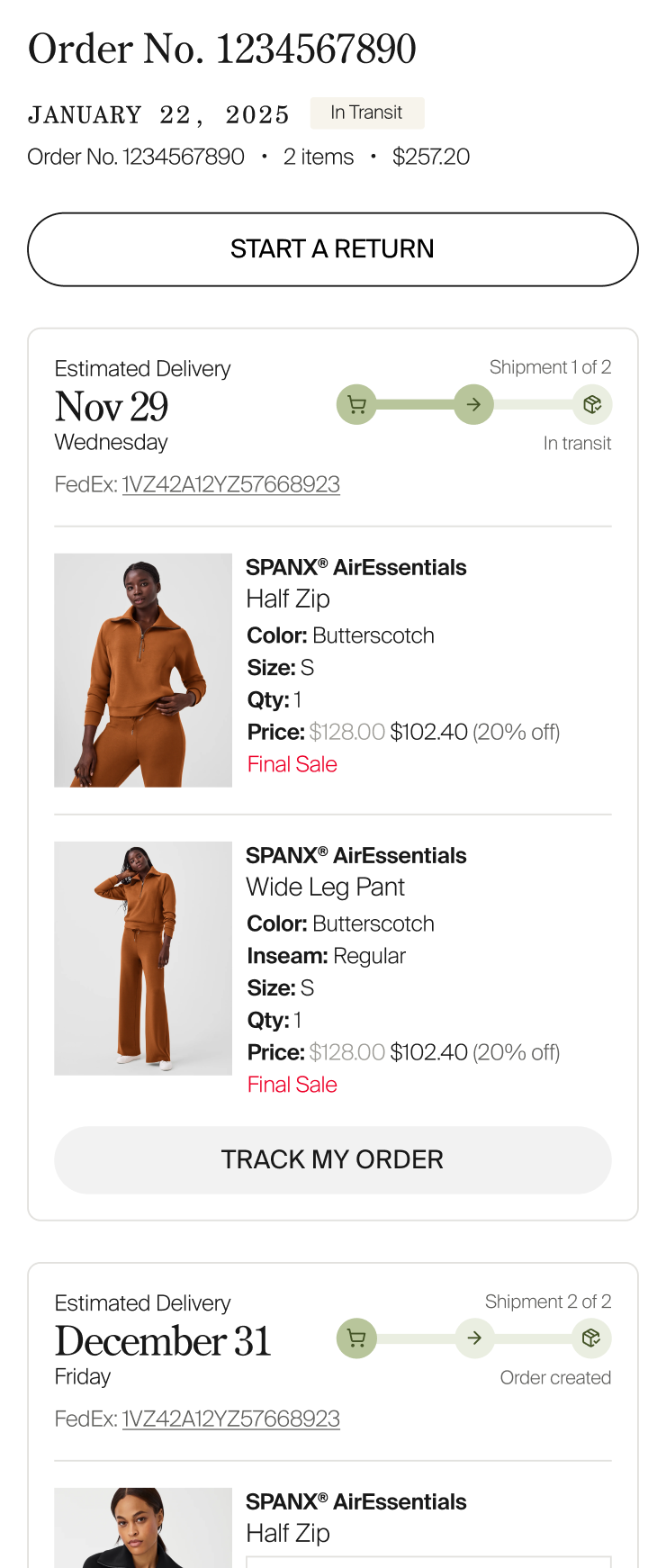
Order History/Tracking
Several enhancements were added to the page to provide more tracking info. The design solution is a good example of how visual hierarchy can influence behavior. A key goal was to make the CTA that takes customers to EasyPost less prominent so we can save on our pay-per-use API costs.
A few other bits and pieces
A non-thematic collection of other production ready design work.
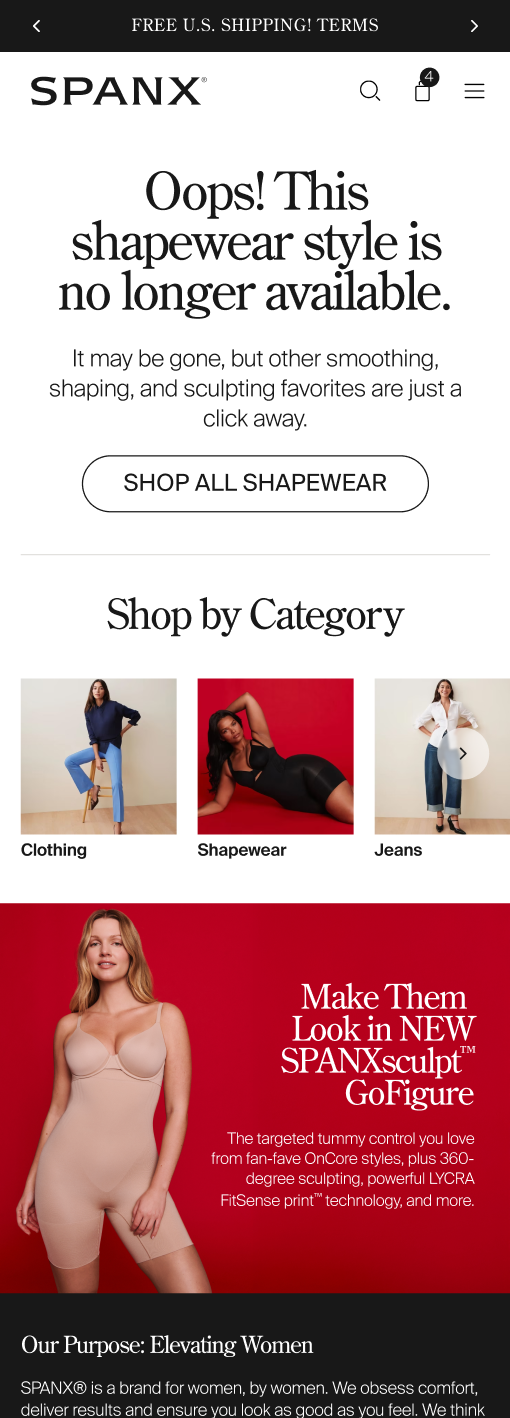
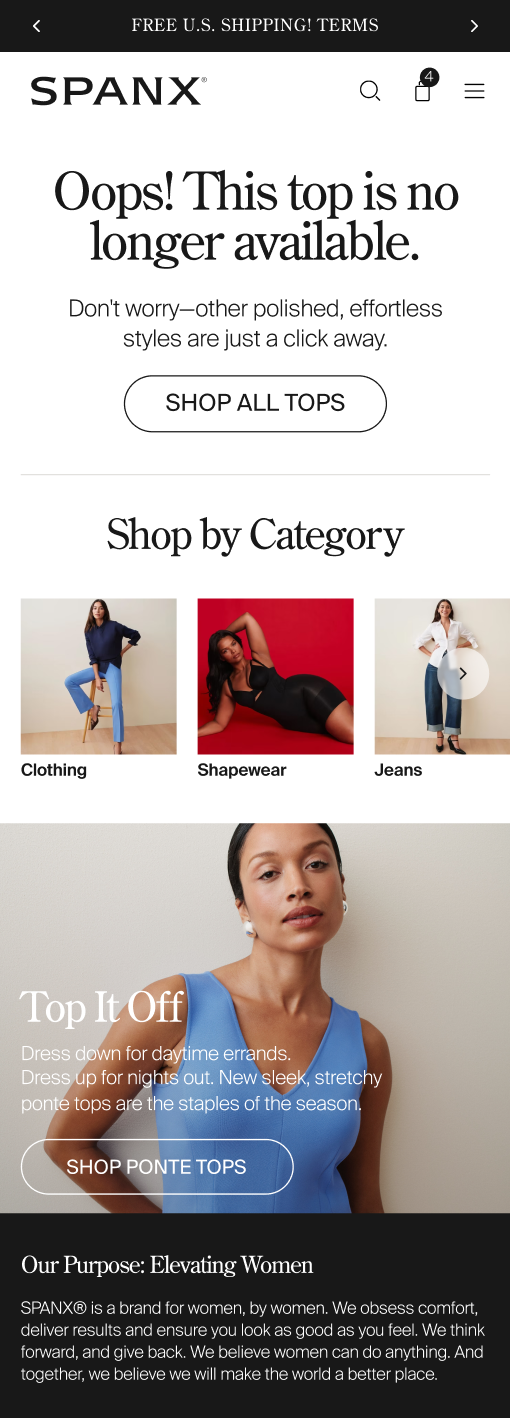
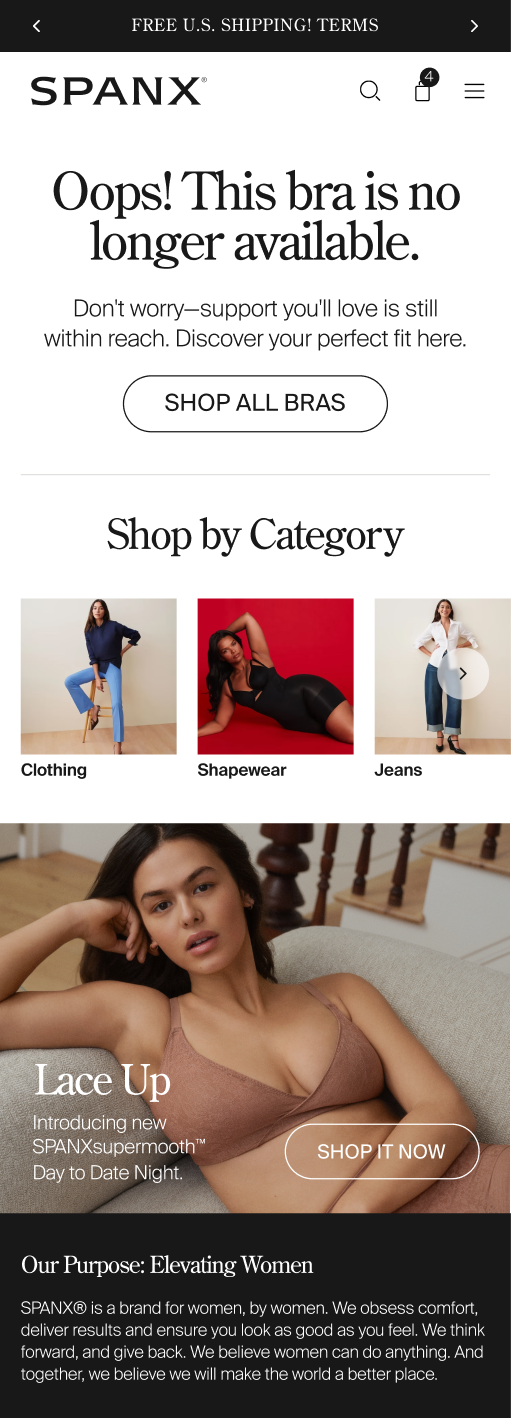
404, oh no!
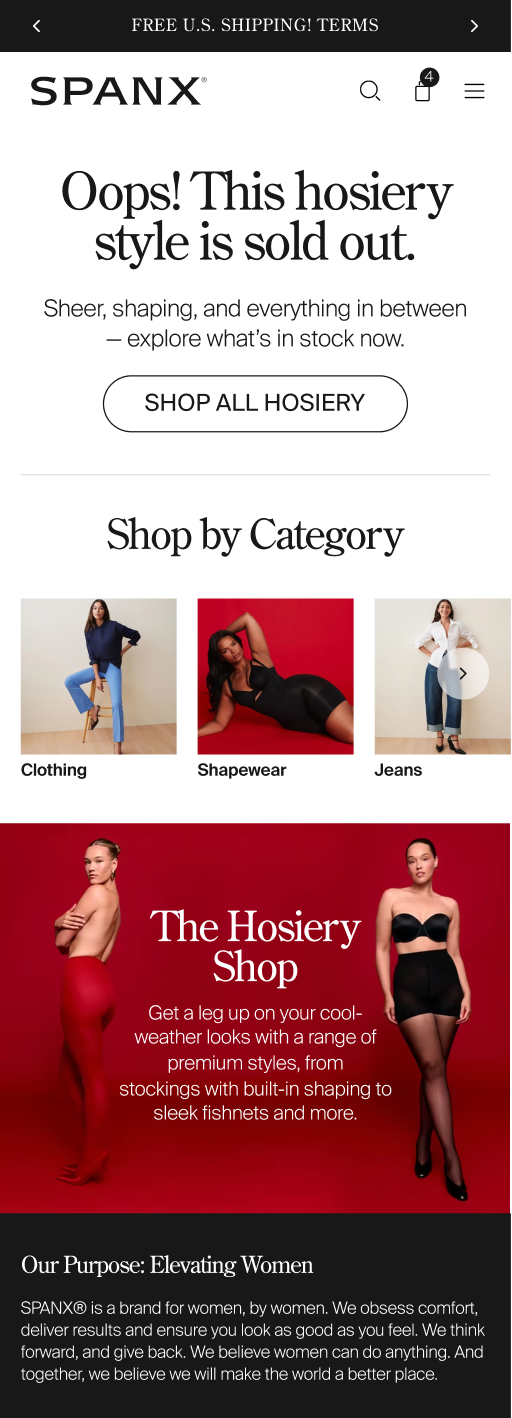
A series of updated, more category aware error pages that also give users a next step via a Shop by Category carousel.




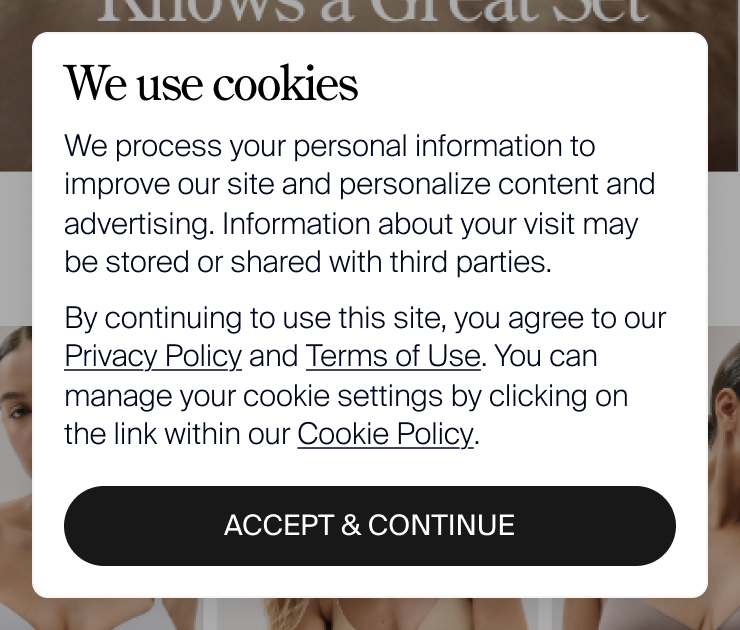
You get a cookie, you get a cookie, you get a cookie...
We needed to update our cookie notice to be more compliant and were able to quickly put something together that looked better than our old notice bar. Unfortunately the copywriting I provided with the old one had to be retired.
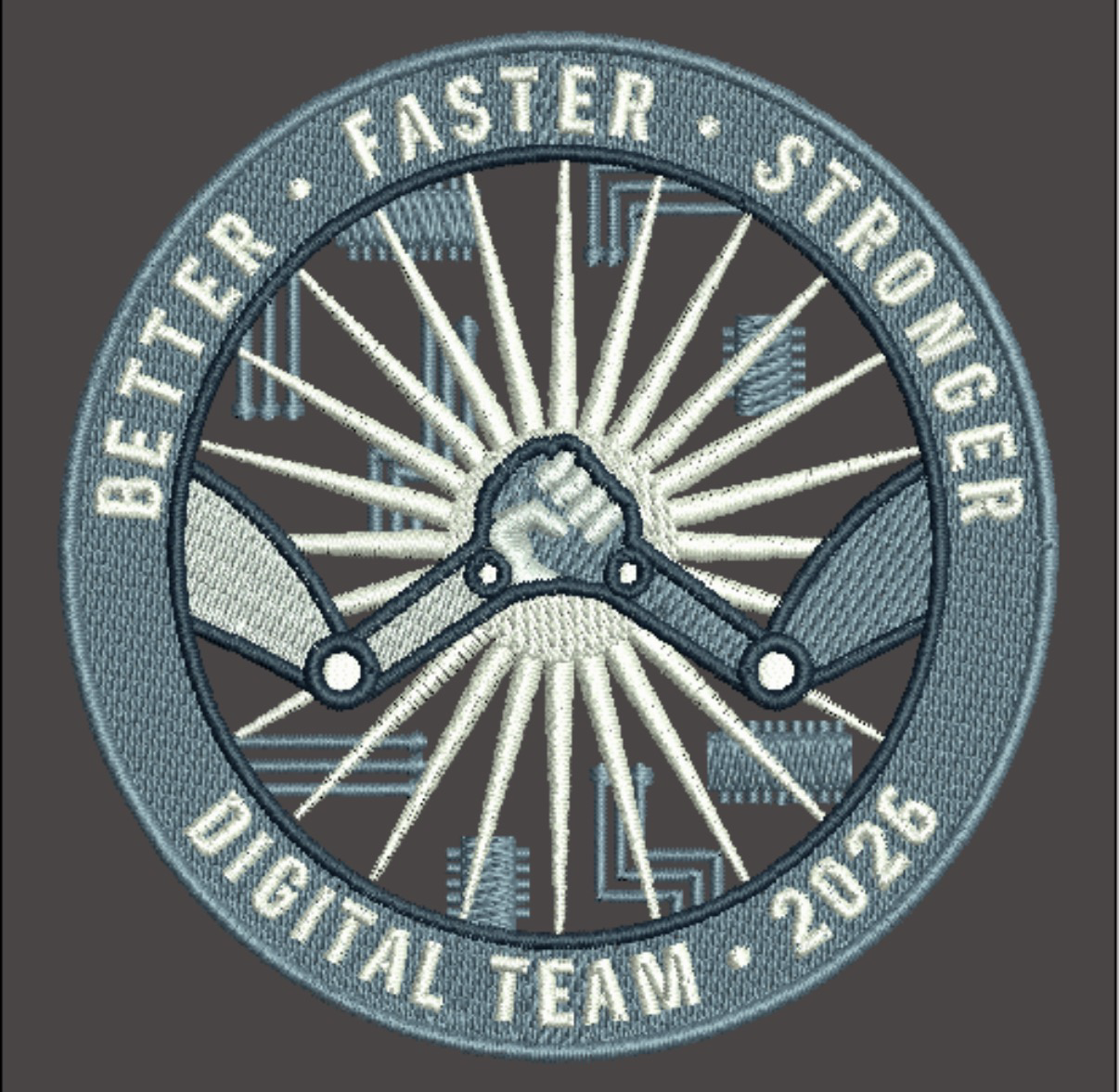
2026 Digital Org onsite patch
Another year, another gathering, another patch. This one completed the hat trick, meaning each member of the team created a patch.
Easter Egg Counter
The team is on a secret mission to add as many moments of joy to the site as we can get away with. Shhh...
Live and on site
We may not tell you where they are but we will tease you with how many exist.
Competitor Corner
We always browse our competitors. Usually we're looking for something specific and when we find it we're gone. Sometimes we spot something that makes us slow down. Here's a few recent features that caught our eye.
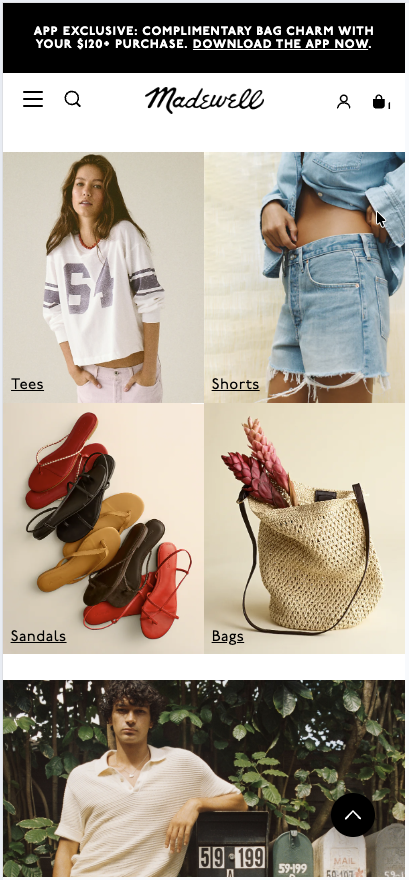
Shop by Category mobile grid
Madewell, uses a tight, borderless grid for their home page category links that do a great job of being visual and not hiding content outside of the viewport.
Vibe-y vids on PLP
Artizia breaks up their Vacation PLP with a set of lifestyle images and video that further communicate the creative direction for their vacation edit.
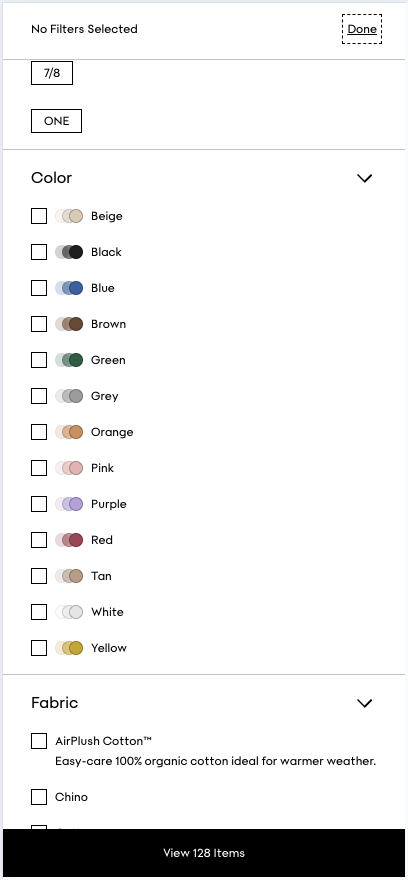
Clever color family representation for filters
More from Aritzia and a great way to visually acknowledge that there's always some fuzziness to filtering/searching by color.
Full screen gallery transition
A satisfying transition from PDP to full screen gallery and then back at Club Monaco.
A smooth, layered home page
Girlfriend Collective's hero sits on a layer below the page content which behaves as a sheet that scrolls over it. Almost all of the home page content is a fancy modal!
Figma tips
Starting with some basics—call it a 101 if you like. If you're using a mouse, these tips will get you moving through files much faster. If you are using a trackpad, you can already use familiar gestures like two finger scroll and pinch to zoom for the same results.
Drag yourself around...
Hold the space bar and your mouse will turn into a hand. Left click with your mouse to pull yourself around the canvas. When you see a designer's cursor wildly flailing as they move through a doc, they are doing this 9 out of 10 times. The other 1 out of 10 times they are panicking because the designs still look bad somehow.
...or just scroll
If you have a mouse with a scroll wheel, you can use it to pan the canvas vertically. If you hold the shift key it'll change your scroll axis to horizontal.
Zooming in and out
If you're using a mouse with a scroll wheel you can hold the ⌘ key (alt on windows) and scroll to zoom the canvas in and out. You can also substitute the scroll wheel for +/- keys if you prefer to keep your hands on the keyboard. And while you're using the keyboard, you can return to 100% zoom by combining that same modifier key with 0.
If you want a more precise way to zoom, you can hold the z key, which will turn your cursor into a magnifying glass, and drag a rectangle around the area you want to zoom into. Figma will zoom in far enough for all the items in the rectangle to fit within the window.
And two more for good measure:
- ⌘ + 0 will return the canvas to 100% zoom
- shift + 1 will zoom out/in so everything on the page fits in the window
- shift + 2 will zoom out/in so that your current selection fits in the window
Yeah, it's weird that those last two don't use the ⌘ modifier. In case you assumed they would follow the trend and tried the number keys with ⌘, you may have been shocked to find it moves you between open tabs by index. Except ⌘ + 9, which always takes you to the last one.
We've gotten too far into the weeds now. See you next time!
From the team
For this installment we have a (very) brief Q&A for you all to wrap things up.
What are examples of good design you've come across recently?

Rosie
Mister Cheeks

https://www.mistercheeksbk.com/
I just moved to a new neighborhood and fell in love with this café - love the thoughtful design of their space, menus, and website (and, of course, the snacks).
Pan American Luggage Label Posters
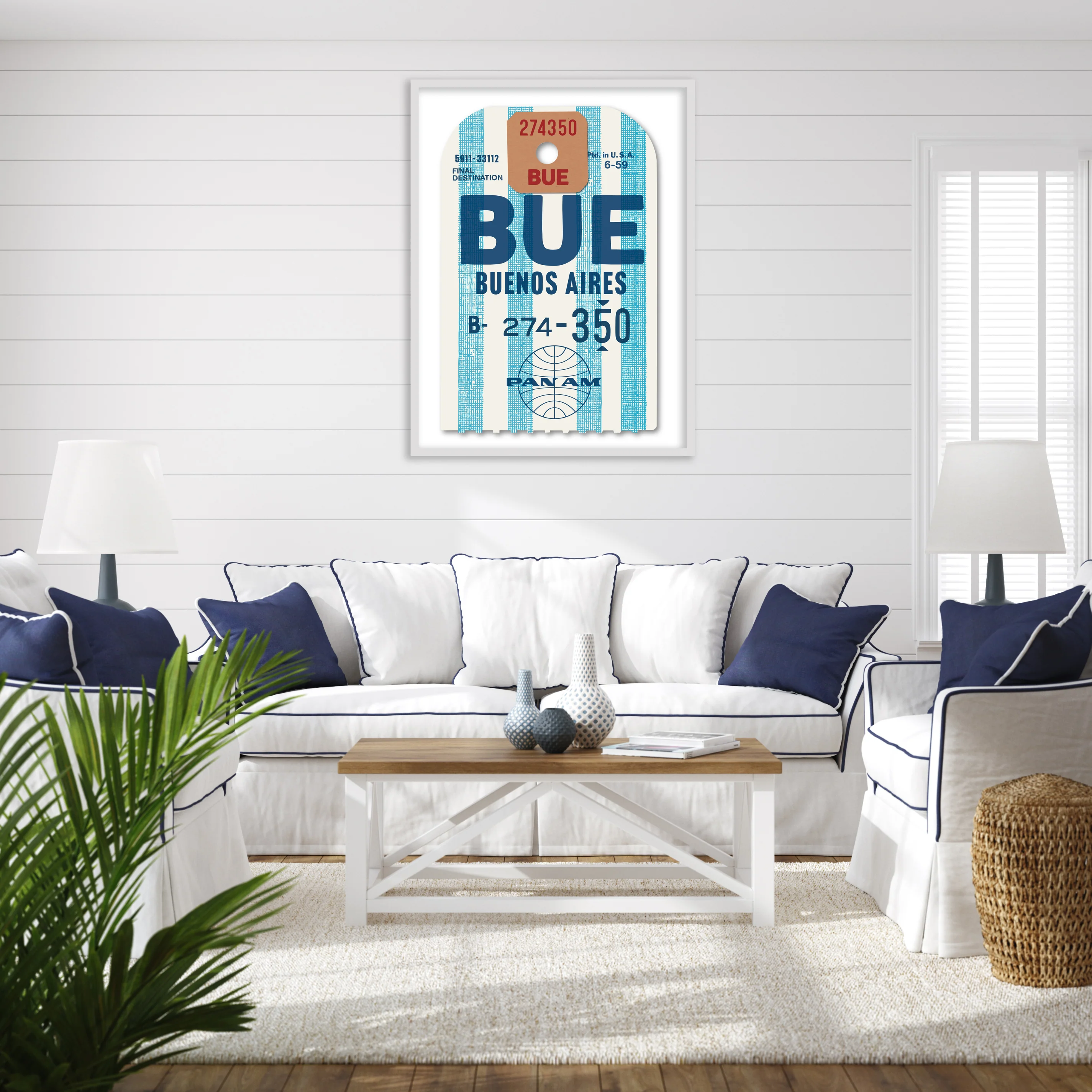
https://ellafreire.com/collections/pan-american-luggage-labels
I wouldn't spend that much on a poster but I can't believe luggage tags that were disposed of without a second thought looked this good.

Brent
Rosie
NYT Interactive NYC Map
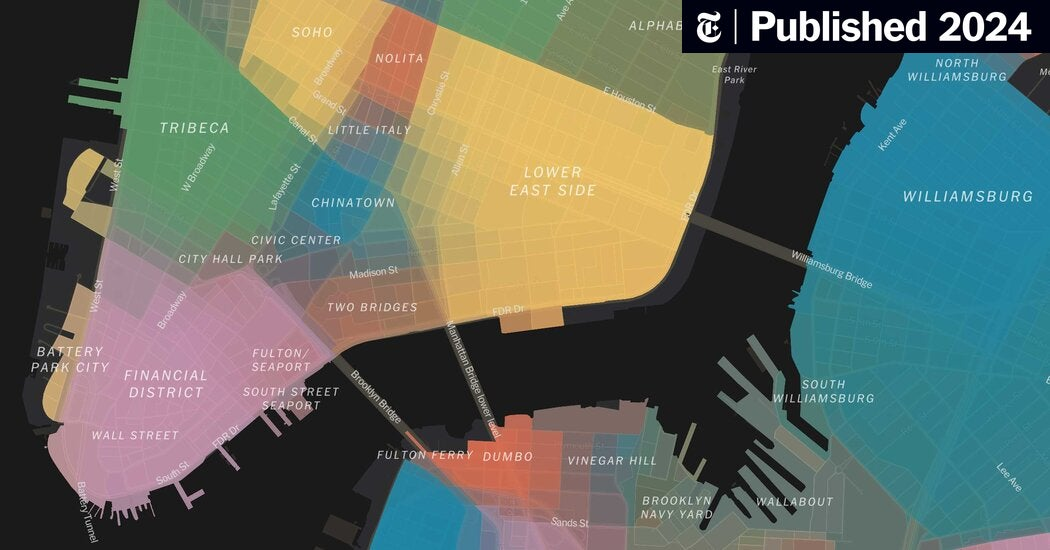
https://www.nytimes.com/interactive/2023/upshot/extremely-detailed-nyc-neighborhood-map.html
The use of color and its gradients where data starts to intersect really charmed me about this interactive site by NYT. It's such a creative way to display information and it's also just super interesting anthropologically!
Drift DJ Zero
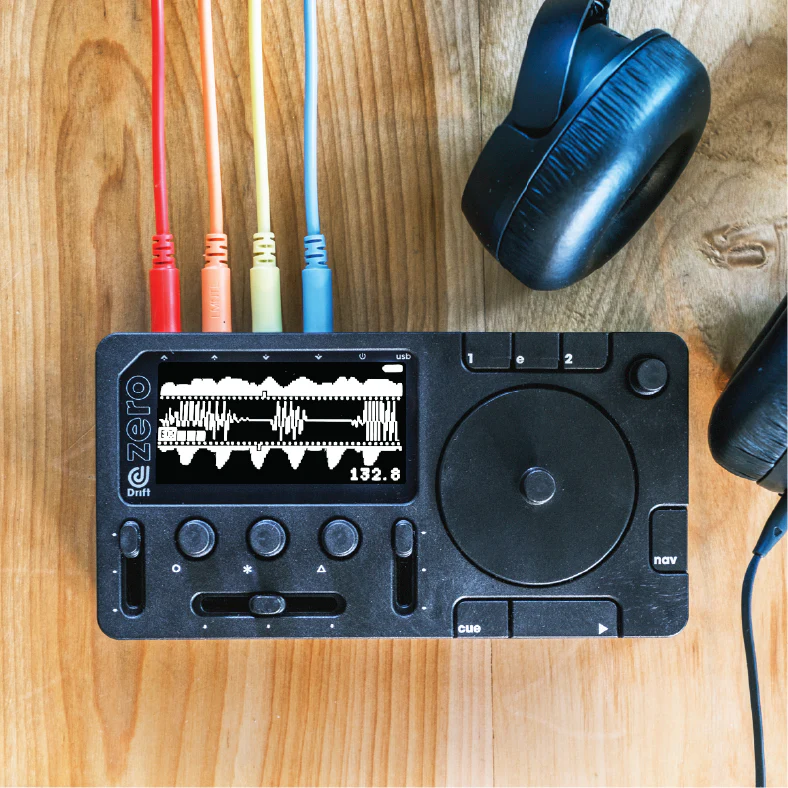
https://driftdj.com/
I don't know anything about DJ-ing but this hardware and its two color interface look so cool
Brent
Have a question or want an opinion from these two?

Let us know and we may include it in a future newsletter!